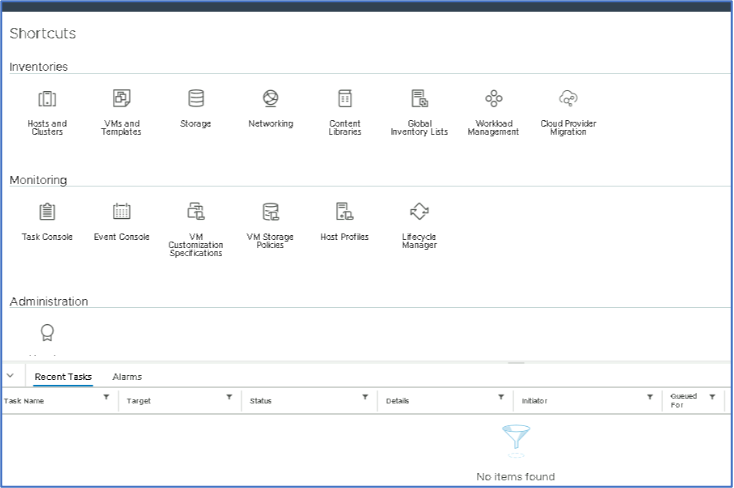
Create Customization for Windows Virtual Machines
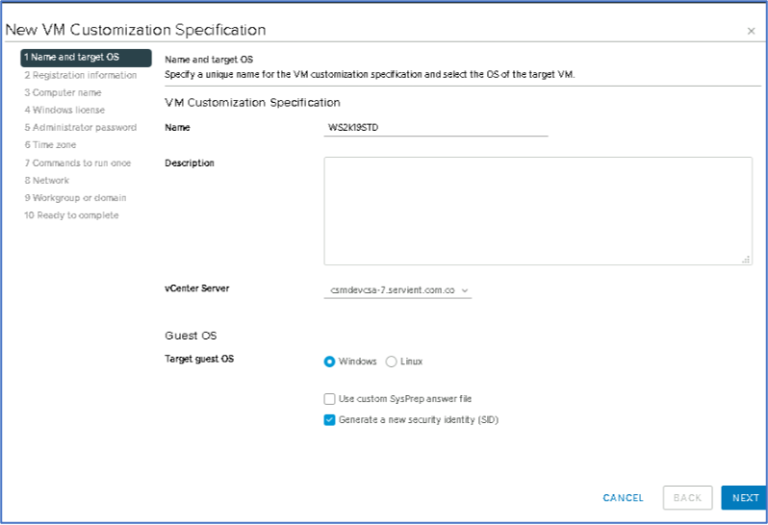
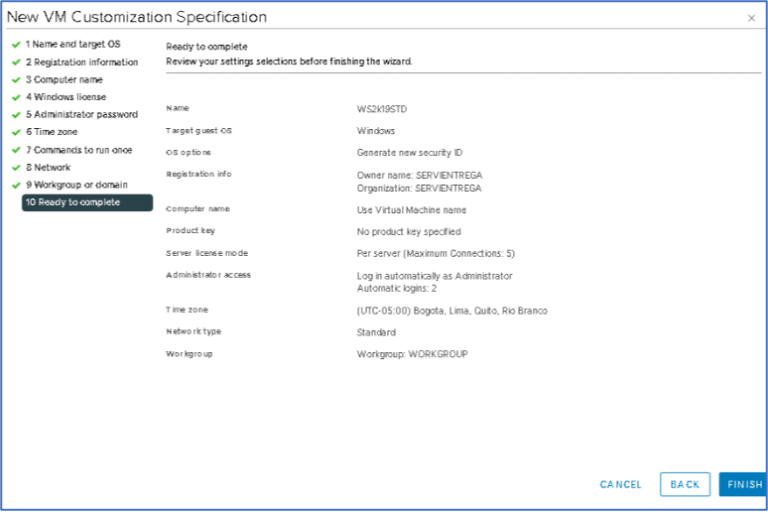
2. Enter a Name, select vCenter Server, select Windows and Check Generate a new security identity (SID)
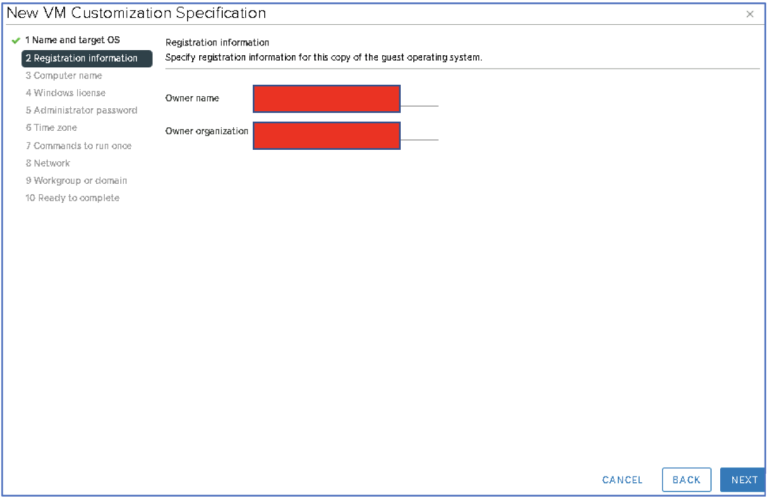
3. Enter Owner name and Owner Organization
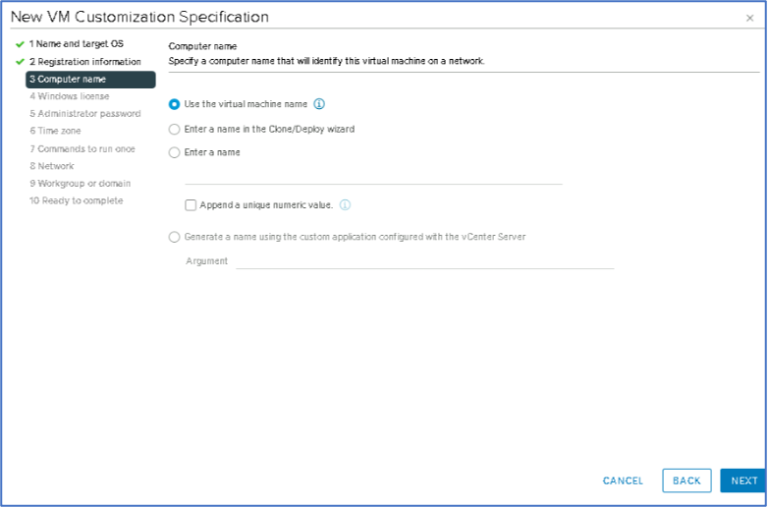
4. Specify the Computer Name is recommended to use the same virtual machine. Then click Next.
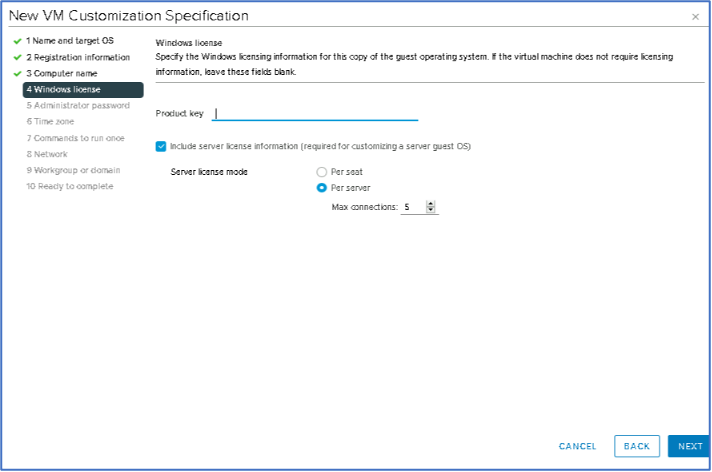
5. In this part is highly recommended manage the windows license using a KMS Server. Then click Next.
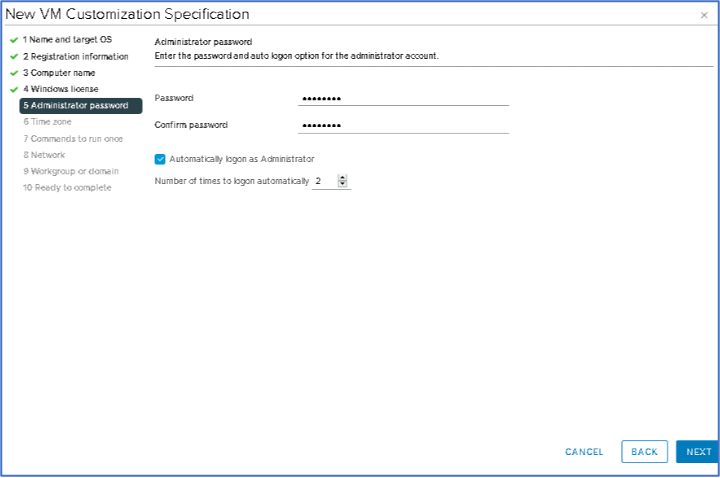
6. Enter the administrator user password and then click Next.
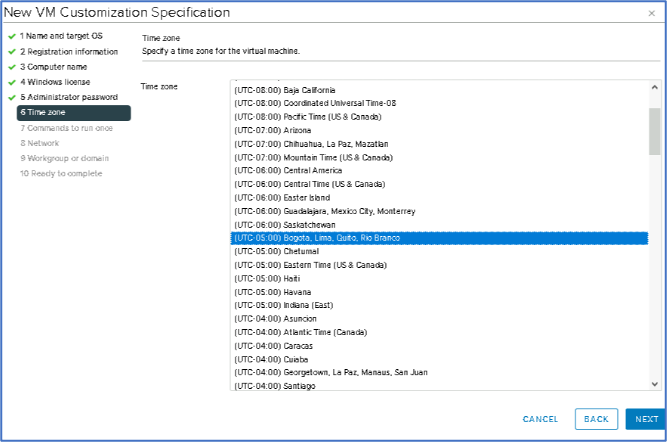
7. Enter the time zone and then click Next.
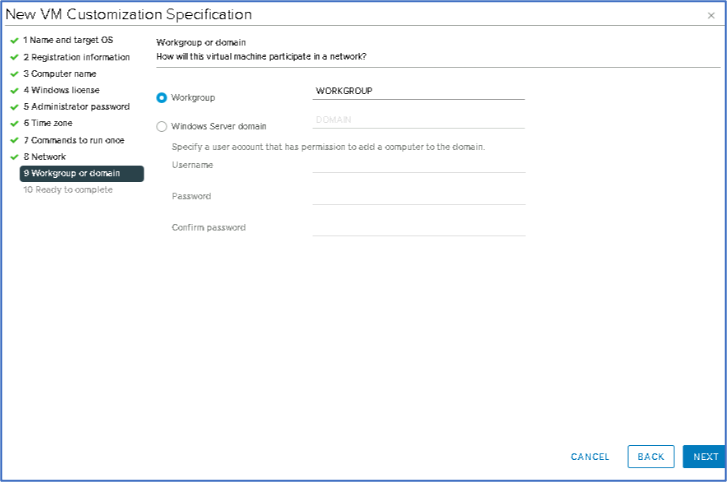
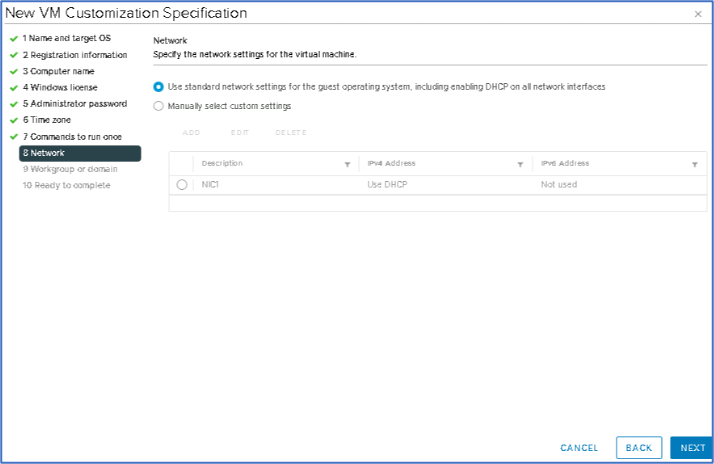
10. Select Use Standard Network Settings and then click Next.
11. Check the options and then click finish to deploy.
9. Select Use Standard Network Settings and then click Next.
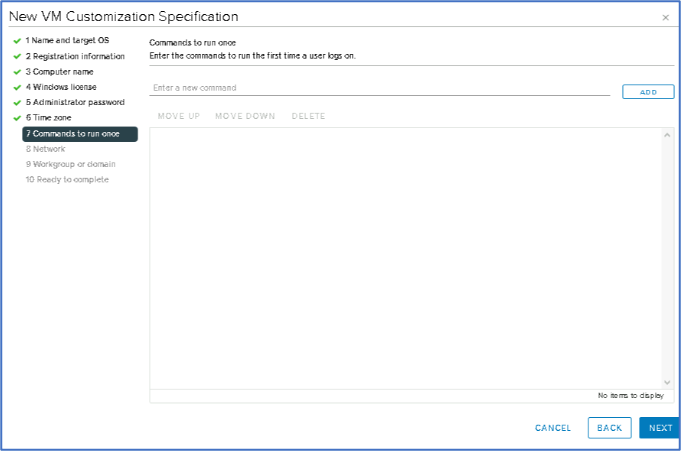
8. If you have some commands add them. Then click Next.
Tu dirección de correo electrónico no será publicada. Los campos obligatorios están marcados con *
Comentario *
Nombre *
Correo electrónico *
Web
Guardar mi nombre, correo electrónico y sitio web en este navegador para la próxima vez que haga un comentario.