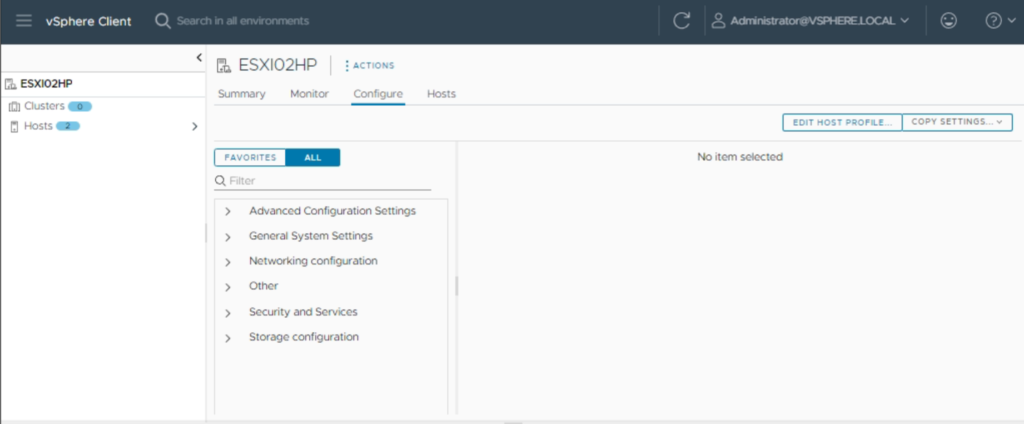
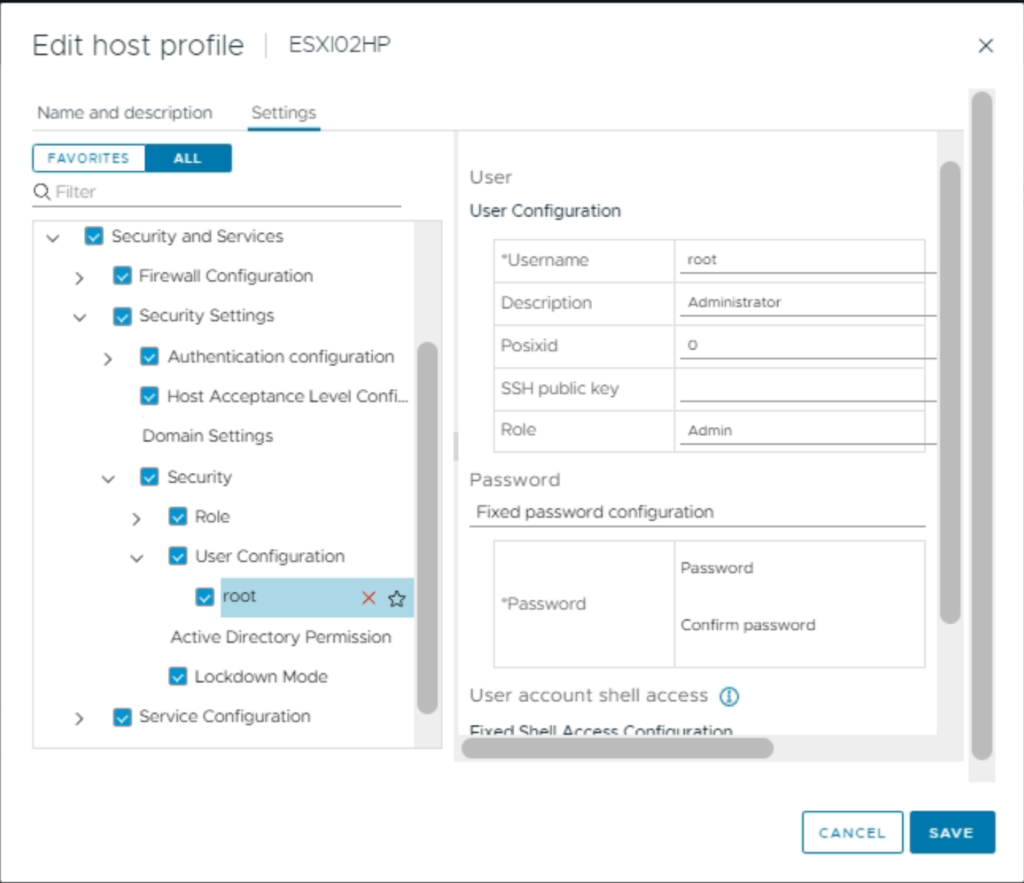
2. Edit root password in the Host Profile
3. Type Password Fields according with the requirements.
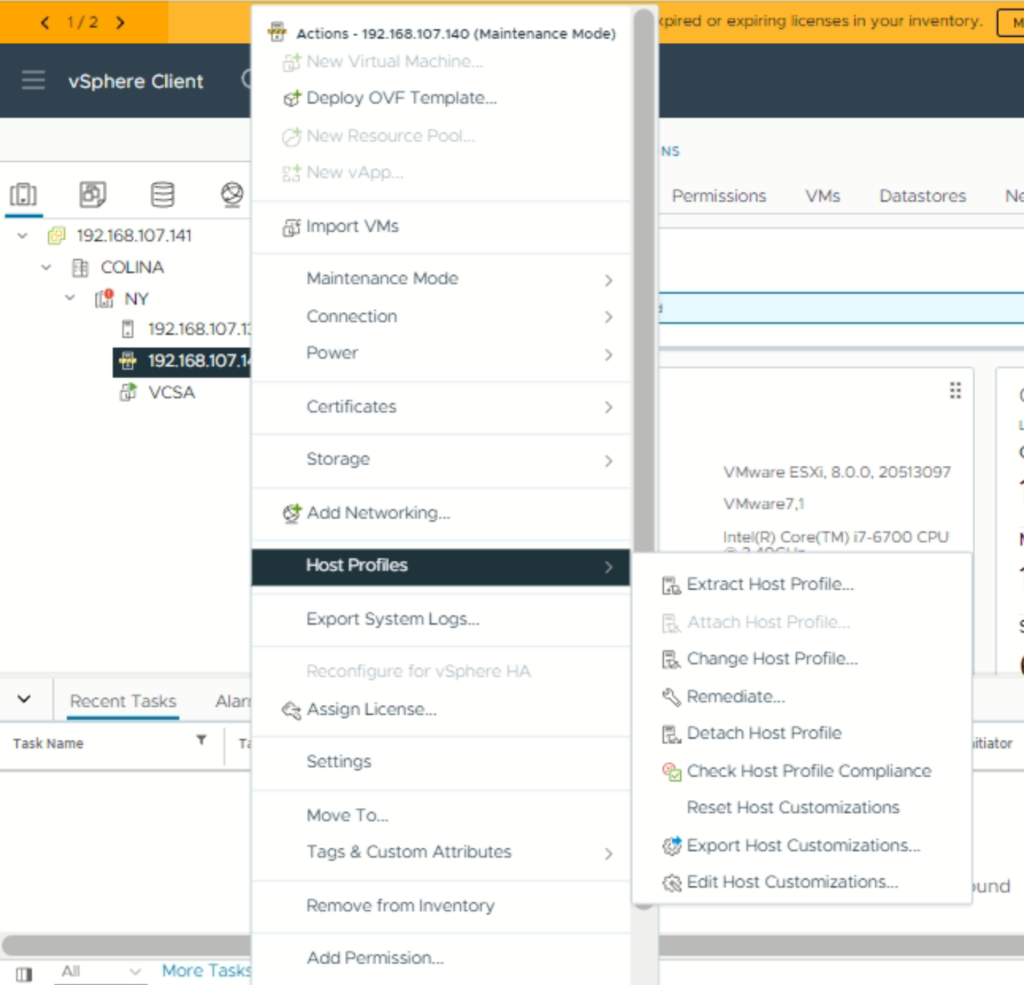
4. Put the Esxi Host in Maintenance Mode.
5. Right Click on Esxi Host and Then click to Remediate.
6. After Remediate the ESXi Hosts are ready to enter with the new credentials.
Tu dirección de correo electrónico no será publicada. Los campos obligatorios están marcados con *
Comentario *
Nombre *
Correo electrónico *
Web
Guardar mi nombre, correo electrónico y sitio web en este navegador para la próxima vez que haga un comentario.